Category: All Posts

Employee productivity
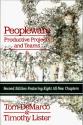
PeoplewareProductivity is a lot more than buying your developers fast PC’s, however I have written before about the mismatch between employees and their employers about how they value their productivity.  I have even noticed it in the Microsoft channel 9 videos that you see key developers and testers struggling along with 2 or three old CRT monitors when they should obviously have LCDs now days.  So it’s nice when you come across a company that’s prepared to invest:

Over the coming months our four summer interns are going to be developing a product that requires of a server and two clients, so we’ll need three VMs to simulate the complete environment. We bought high-end, dual-Xeon Dell workstations with dual monitors and 2 GB of memory each (that’s our new standard developer workstation) which will make it easy and fast to simulate the complete production environment on every intern’s computer. It’s probably overkill and you can run VMware happily on less pumped-up computers, but if you’re simulating a network of three machines VMware definitely benefits from lots of RAM and CPUs.

As always if you want a broader view on productivity, check out my other posts, or read PeopleWare….


Bank holiday weekend

Picture045_02May05It’s been a few months since I have been well enough to taking the kids out playing on the beach, so this bank holiday weekend has been pretty special.  We have played ball games every day on our local beach and today we went into Blackpool early (never go into Blackpool late on a bank holiday unless you like the “party atmosphere” – ie drunken louts!).  Anyway early on a sunny day is great fun.  The girls spent an hour in the amusements and we had a good root round the shops and good fun on the beach.
Uses and misuses of collaborative technology

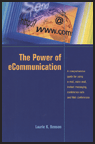
EcommunicationsI am working on refreshing a great guide that my companies research team produced on this topic a few years ago.  I have some interesting material, and recently came across this book which seems to address a small part of the subject area pretty well.  I ordered it from Amazon.com today, so it should arrive in the UK early next week.

Get the most out of conference calls—whether you’re a presenter or participant
Turn web conferences and videoconferences into results-getting virtual meetings
A checklist of things to remember before you send your next e-mail
Deal with all the e-mail you receive
Use instant messaging to connect with virtual teams
Do’s and don’ts when using voice mail
Conduct virtual job interviews
Prepare for and conduct the conference call, and tips for following up
Minimize your legal liability when using electronic communication

Information Overload – and burn out

Eric, builds nicely on my last post on “Information Overload” and provides some nice links.  I particularly resonated with the idea of “shutting down” in the face of overload (burn out):

Have you ever found yourself emotionally shutting down in the face of a daunting project list and an overflowing e-mail in-box? I have.   The Air Force calls this Task Saturation and it can manifest itself in many ways. Some people hyper-focus on their email and new-mail alerts to the point where nothing gets done.

David and I made posts on Saturday and Sunday about the UK researcher who found that email distractions can cause a drop in IQ.

Fellow productivity blogger, Bert, from Open Loops, posted an excellent comment about how the military helps its pilots extract themselves from overwhelm before they have to extract themselves from their wreckage:

This has certainly happened to me a few times when I have been on major programmes and just unable to get my mind around what to do next.  In these circumstances I tend to take the following steps:

  • Write everything down on a piece of paper, I often never look at this list again
  • Take afternoons off for a few …

More on Metro

MetroIn this post I described my wish list for Metro, more information has since emerged and its looking like a pretty promising technology.  The first is Metro Fact Sheet from Microsoft, some key snippets follow, first on its objectives:

“Metro,” that offers a unified framework to address the growing use of electronic document-based workflows, and inclusion of advanced graphics and extended color information in everyday documents and Web applications. “Metro” offers an open document format that uses Extensible Markup Language (XML), a public standard for exchanging data between disparate systems, and other current, industry standards to create a modern, cross-platform document and imaging technologies. “Metro” simplifies creation, sharing, printing, viewing and archiving of digital documents, while also improving image fidelity and print performance.


Then more information on the components:

·        A complete specification for a fixed-layout document format based on XML that offers “electronic paper” for use by any application on any platform

·        A “viewer” to view, manage and print files

·        A print-to-file converter for creating the files from any Microsoft® Windows-based application

·        A set of application programming interfaces (APIs) to incorporate “Metro” technologies and documents with traditional applications, the Web …

Metro – head to head with PDF!

At last Microsoft seem to have decided to deliver a portable document format for distribution and archive.  It’s code named metro and was demonstrated at WinHEC.  Here is a snippet from an article in Computer World:

The format, based on XML, will be licensed royalty free and users will be able to open Metro files without a special client. In the demonstration, a Metro file was opened and printed from Internet Explorer, Microsoft’s Web browser.

Printers and printer drivers can include support for Metro and deliver better and faster printing results than with today’s printing technology, Microsoft said. On stage, a Xerox printer with Metro built in was used to print a sample slide.

It’s going to be an open specification, so says Jancology:

Metro is build on top of an XML based page description language similar to Adobe’s PostScript. This happens to be tied into Avalon — Longhorn’s presentation subsystem. Microsoft is releasing publicly the specification for Metro on Monday royalty-free.

What do I want from this format:

  • The fidelity we have come to expect from PDF when we want it
  • The reflow we have come to expect from HTML when targeting different screen formats
  • Full support for …

Maxthon or Firefox

As more and more people recommend Firefox I have felt increasingly that I am a stuck in the past by continuing to use Maxthon, which use to be MyIE2. 

However Maxthon is not a browser to give up lightly.  It’s had the greatest affect so far on my productivity, especially when doing blog initiated research.  When I go back to using IE, the experience is literally painful (so much mouse movement affects my arthritic hands and wrists).  The following Maxthon features make all the difference for me:

  1. Tabbed browsing
  2. Double click tab closing
  3. The ability to open a new tabs with a scroll button click on a hyperlink, left mouse clicking re-uses the current tab
  4. The ability to make new tabs open in the background so as not to disrupt the current activity
  5. The ability to change these behaviours as required with a single click on the toolbar
  6. The ability to create groups of URLs
  7. The ability to open a group of tabs as a set
  8. The ability to customise the names of the tabs in a group
  9. The ability to save a whole load of tabs as a temporary group and re-open later, great when you have an …

Information overload – a great place to hide – but a poor place to work!

Info-overload-image-newOf course some people do get a lot of email and need to read a lot of blogs, but it’s also a great place to hide away from doing what you really need to be doing.  I have noticed the following types of avoidance behaviour (the example below are not always avoidance behaviour of course):
  • Taking lots of notes (hiding away from the purpose of the meeting)
  • Making very long lists of “things to do” and fine tuning the list and the priorities of the tasks on the list (hiding away from doing the tasks on the list)
  • Reading hundreds of blog posts (making yourself feel very busy)
  • Languishing in hundreds of emails (when  you should be asking yourself – what are you doing wrong, not delegating, not journalling, not managing expectations, not creating process etc)
  • Making lots of blog posts (when you should be working)

So how do I score on this list:

  • Note taking, pretty good, I have always believed it is better to focus on the meeting rather than my notes and been lucky enough to have a memory that’s good enough to remember stuff that’s important.  Of course it doesn’t always work and I have tried several times to …

Information overload and collaboration!

JournalI am being overloaded by information on “information overload”, just today one of my friends posted on the topic – always an event.  Then I came across a few posts in my regular feeds.  So I started following the trail.  Why – because I am easily interested mainly – but also because I am interested in the effect of information overload on collaboration (which I am currently researching)  My logic goes something like this:

  • When people are co-located, the barrier to collaborate is very low
  • For co-located people the range of sensory input is very high, for example overheard conversations, raised voices, moaning in the corridors, teams not talking to each other, people with smiles on their faces, people working late, looking worried etc
  • So as people move out of line of sight the barrier to collaborate increases rapidly with distance and the subconscious inputs decrease rapidly.
  • To compensate we now need to seek out information from people, this means generally that we need to:
    • pro-actively go looking for information
    • try and figure out from emails what people actually mean
    • try and determine if – when we cold call people and ask them what’s going on whether – they are tired, busy, …