

WinFS on XP, a VERY big deal!
 It’s been widely reported (see this article for example) that Microsoft are back porting WinFS to XP. This is a very intelligent strategy on Microsoft’s part. A few months ago I wrote about strategies that Microsoft could adopt to compete with Linux, well I missed the most important strategy, which goes like this:
- Back port the pillars of Longhorn to Windows XP
- Wow 3rd party software developers with the new platform capabilities (PDC Tech-ED)
- Convince their bosses that a new version of their applications – that takes advantage of these capabilities – will allow them to sell more copies, or convince people to upgrade
- Establish Longhorn’s credibility as a stable and secure platform (because of the Longhorn Fundamentals)
- Fix the problems that prevent applications running without admin priv and make installation with admin priv easier.
- Demonstrate that Longhorn and XP can provide both Rich and Reach capabilities, via Terminal Services, an upgraded Web browser and Smart Client support in the form of Java and Click Once .NET applications (in .NET Whidbey)
- Convince the hardware vendors that Longhorn will help them sell more hardware
- Provide time for the new third party applications to arrive that take advantage of Avalon, WinFS and …

 I used to be one of those “everything on my laptop” sort of guys until I started working from home. Now I use the device pyramid principle, which is another way of saying that I exploit the strengths of 3 devices to offset the weaknesses of those same three devices. I works like this:
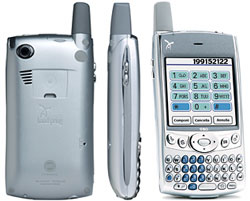
 My least powerful, but most accessible device is my Treo. I can access anything on it with a couple of clicks, and its up and running in a second (actually its always on but it takes a second to activate the screen). Because it’s my phone I never leave home without it. The information I carry on it is the basic stuff:
 Next comes my Tablet, it’s much bigger, takes a couple of minutes to get going, and even longer to find what I am looking for. However being more powerful it has everything that the Treo has plus:
 Since I started working from home I have increased the amount of house work that I do, my share is:
 I have gradually refined my
 My company is currently re-launching its knowledge management environment, so I thought it would be useful to re-think my requirements from a personal and then (in another blog post) from a team/project perspective. The diagram on the left represents a simplified view of the personal information management lifecycle and I will step through each phase looking at the commodity tools that I think all knowledge workers should have, by right, in todays world. Then I will discuss some of the more advanced tools that may only be applicable to certain high value processes or industry segments. First off I make no apologies for the simple model I have chosen to use. More complete lifecycles have been modelled, for example
 As readers of my blog know I suffer from Adult Onset Stills, a rare disease that affects 1 in about 200,000 people. Since my last major flare about 13 months ago a combination of Steroids and Immune System Suppresents have managed to get the primary inflammation under control leaving me with chronic pain and fatigue which varies from day to day. I cope pretty well with this by working from home etc, and its all well documented in this blog.
 The graph shows the daily symptom levels for the last 6 months. However progress has been made as follows:


 A week ago I blogged a little about InfoPath and the fact that Bill Gates had said that InfoPath will probably be the closest thing today to the dominant Microsoft forms technology moving forward, so Bill why not just buy
  Just recently I read a blog post (which I can no longer find) that cast doubt on the business case for portable computers. The basic argument went like this: