Tagged: Productivity

RSS grows beyond blogs
RssThis article describes numerous uses for RSS that go beyond the ubiquitous blog.  It’s an interesting read, especially because it confines itself to implemented uses, rather than the hundreds of uses we can envision.  On a related note I noticed this quote in an article by CRN:

Microsoft partisans imagine a day when business users get realtime pings on their Office desktop software whenever their ERP systems detect inventories below a certain level. Beneath the covers, that simple-looking alert will rely on a confluence of technologies, including Office desktop applications, Microsoft’s planned “Maestro” realtime reporting server and a back-end SharePoint Portal/Excel Server combination.

Decidedly “RSS like” capability although probably not using RSS as the format.  The same article goes on to describe some of the conditional alerting that would be enabled by Excel Server:

“You’d set up an Excel model on the desktop, export it to the server, bind it to a [database] or, via Maestro, to an application source,” he said. “The model runs constantly on the server, feeding updated dashboard data via new Office 12 tools or a [business intelligence] tool. Or [it can] send you an e-mail or an instant-messaging or a VoIP call.” Microsoft, …


Kids and Tablets

KidsusingtabletsMy daughter has recently inherited by old Tablet PC, a TC1000.  She has an auto-immune disorder and secondary Raynaud’s and these conditions mean that she suffers from cold hands, is very stiff and not that strong.  As a result she often struggles to carry her bag around and with writing.  About a year ago I wrote an article explaining why I thought a Tablet would help here and a few weeks ago I demonstrated my Tablet to the school teachers and her assessors.  As a result they have agreed that they will try and get her a grant for a Tablet ready for high school which is great news.  In addition they will get her a book scanner.  Although scanned books are not perfect, nor many eBooks, as I mention here, they are often better than paper.

In preparation she is taking her Tablet into school 3 days a week to get used to the logistics and the envious kids and how to deal with them.  Since she got the Tablet I noticed that she has started using the computer at home a lot more as well.  I often find her sitting in bed browsing the web, writing …

More evidence that going paperless is a good idea!

Shot6I have thought for a long time that going paperless was a good strategy. Now I know why, Microsoft has posted 3 great videos that demonstrate the dangers of office stationary.  They really are worth watching, preferably with the family as they are very funny.  Another tip,  make sure you watch them through a few times watching the background characters as well for best effect!

First up, the Elastic Band next the Paper Cut and finally the Bad Pen

Visit the web site for more information

GTD, Life Balance, Lotus Notes, OneNote!!!!

ProjectI only work part-time and have been struggling to find a way to manage my time, it’s been a long process and has so fair failed to control overload.
I started off using a traditional task list in Lotus Notes, this failed miserably as it seemed impossible to visualise the mass of tasks in a way that allowed me to make sensible decisions.

Next I tried OneNote, but this didn’t help, just another way to get confused

Then I tried Life Balance along with the GTD methodology.  This was better, as careful adjustment of the importance of each task relative to its parent objectives allows you to balance all areas of your life. Unfortunately Life Balance has no robust concept of work content, parallel activities, progress etc.  As a result  have found I have gradually accumulated activities and become hopelessly over-committed.  Life-balance had shielded me from this by showing me the priority activity to work on each day and by hiding next actions until the current action is completed.

So after probably 9 months of trying different approaches I am now able to state my needs clearly:

  1. I need a way of visualising the work content of the tasks, and scheduling them out …

Process + Technology = Productivity

Eric Mack develops the overload theme, with a post titled “methodology + technology = productivity”,  I personally prefer process to methodology, which sounds a bit too formal for most people, but I agree fully with him on the principle.  Too many times on enterprise projects I have been told by customer to “just give us the technology we will figure out how to use it”, months to years later and the project has either failed or a rich eco-system of incompatible business processes have been wastefully developed to solve the same business need.

Now I always like to start with the business need first, process second and technology third, of course this means that you need to follow an iterative approach as the technology can modify your original perception of business need and process, but thats fine so long as you prototype.  Personally as I work in infrastructure I like to dog food all of my projects as well.


Information overload and presentations

More on information overload from Beyond Bullets this time in the context of presentations:

One recent study at Kansas State University reported that the MTV-inspired scrolling tickers and headlines on television screens reduced the ability of people to remember information by 10 percentage points.

Another study reported that people who were bombarded by email and phone calls suffered an IQ drop of 10 points – double the drop in IQ that has been attributed to marijuana.

The smarter solution? Strip away the distractions and aim for simplicity.


Employee productivity

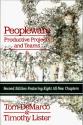
PeoplewareProductivity is a lot more than buying your developers fast PC’s, however I have written before about the mismatch between employees and their employers about how they value their productivity.  I have even noticed it in the Microsoft channel 9 videos that you see key developers and testers struggling along with 2 or three old CRT monitors when they should obviously have LCDs now days.  So it’s nice when you come across a company that’s prepared to invest:

Over the coming months our four summer interns are going to be developing a product that requires of a server and two clients, so we’ll need three VMs to simulate the complete environment. We bought high-end, dual-Xeon Dell workstations with dual monitors and 2 GB of memory each (that’s our new standard developer workstation) which will make it easy and fast to simulate the complete production environment on every intern’s computer. It’s probably overkill and you can run VMware happily on less pumped-up computers, but if you’re simulating a network of three machines VMware definitely benefits from lots of RAM and CPUs.

As always if you want a broader view on productivity, check out my other posts, or read PeopleWare….

Uses and misuses of collaborative technology

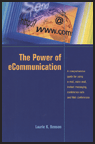
EcommunicationsI am working on refreshing a great guide that my companies research team produced on this topic a few years ago.  I have some interesting material, and recently came across this book which seems to address a small part of the subject area pretty well.  I ordered it from Amazon.com today, so it should arrive in the UK early next week.

Get the most out of conference calls—whether you’re a presenter or participant
Turn web conferences and videoconferences into results-getting virtual meetings
A checklist of things to remember before you send your next e-mail
Deal with all the e-mail you receive
Use instant messaging to connect with virtual teams
Do’s and don’ts when using voice mail
Conduct virtual job interviews
Prepare for and conduct the conference call, and tips for following up
Minimize your legal liability when using electronic communication

Information overload – a great place to hide – but a poor place to work!

Info-overload-image-newOf course some people do get a lot of email and need to read a lot of blogs, but it’s also a great place to hide away from doing what you really need to be doing.  I have noticed the following types of avoidance behaviour (the example below are not always avoidance behaviour of course):

  • Taking lots of notes (hiding away from the purpose of the meeting)
  • Making very long lists of “things to do” and fine tuning the list and the priorities of the tasks on the list (hiding away from doing the tasks on the list)
  • Reading hundreds of blog posts (making yourself feel very busy)
  • Languishing in hundreds of emails (when  you should be asking yourself – what are you doing wrong, not delegating, not journalling, not managing expectations, not creating process etc)
  • Making lots of blog posts (when you should be working)

So how do I score on this list:

  • Note taking, pretty good, I have always believed it is better to focus on the meeting rather than my notes and been lucky enough to have a memory that’s good enough to remember stuff that’s important.  Of course it doesn’t always work and I have tried several times to …

VMWare 5 and productivity

I have just installed VMWare 5 on my main desktop machine (2GB) and my TC1100 Tablet (1.5GB) and I have been very impressed,  I have also along the way been very impressed by the latest crop of Microsoft Servers.  Here is a quick run through of the last couple of days.

I have been feeling really rotten for the last 48 hours due mainly to a short lived virus that has wrought havoc with my already screwed up immune system.  As a result I needed some distractions, playing around with VMWare 5 seemed the ideal solution.  Here’s how I spent the worst hours of the last 2 days:

  • Installed VMWare 5,  that was very easy – my best VMWare experience to date and so much better than my experience with Virtual Server 2005 the day before.  I liked the idea of Virtual Server because it would allow me to use its Active X control console to embed live Windows Sessions in my PowerPoint presentations.  In the end I hated Virtual Server so much by comparison with the ultra slick VMWare that I gave up on the idea.  Later I remembered I could probably do the same thing with the RDP …